NoiseMeters Limited for sound level meters and noise monitoring equipment hire
Your region
  Home Contact Products Hire Calibration Survey News Resources Help Search   Cart cart
  Home > Products > Noise at Work > Octave Band Meter > Hearing Protection
Tel.  0845 680 0312
info@noisemeters.co.uk

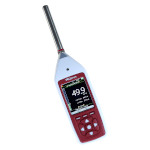
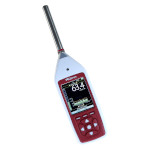
Integrating Sound Level Meter with Octave Band Filters for Noise at Work

  Octave Band Meter Hearing Protection Data Logging Options Similar Meters  
 

Measuring Noise at Work

To satisfy the European Noise at Work regulations - Physical Agents (Noise) Directive 2003/10/EC - and the HSE's Controlling Noise at Work guidelines, you need at least a Type 2 Integrating Sound Level Meter, along with a Sound Level Calibrator.

When the measured noise level (LAeq) is particularly high, for example greater than 90 to 95 dB(A), it is important that the correct grade of hearing protector is provided. You should not under-protect or over-protect a worker and the best way to assess a hearing protector's performance is to measure the noise levels using an Octave Band Integrating Sound Level Meter. You can then calculate the level at the ear with different protectors, or better still, let some software do it for you.

Following is a basic description of making noise at work measurements using the Model 84 Sound Level Meter with Calibrator:

  • Check the operation of the sound level meter using the Calibrator (required by the noise at work regulations).
  • Make a simple LAeq and LCPeak measurement.
  • When high levels are found (or concerns of over-protecting), make an Octave Band sweep.
calibrating the sound level meter

Checking the Calibration

Before starting a new set of measurements you should check the calibration and operation of the meter using a Calibrator.

  1. Push the Calibrator firmly onto microphone
  2. Switch the Calibrator to 94dB
  3. Press Cal key on meter

The rest is automatic and the meter shows the results of the calibration.


measuring noise at work

Making the Measurements

1. Position the microphone
2. Select a suitable measurement range
3. Press the Start key on the meter
4. Wait for the Leq to settle or measure until a representative sample of the noise has been obtained

display of leq

5. Press the Stop key

You should now note the Leq and Peak readings for your Noise at Work records and reports.


octave band hearing protector

Octave Band Measurement

To make an Octave Band noise measurement:

  1. Switch the meter into Octave Band mode using the Octave key.
  2. Position the microphone
  3. Press Start

The meter will automatically cycle through all ten octave bands and continue to do this until you press Stop. It is important to run the meter long enough to get a good sample of the noise level in each band.


Assess the Hearing Protectors

The results from the octave band measurement can now be used to calculate the level at the ear using different hearing protectors. To reduce the amount of manual calculation involved, the Analyzer software that is included can do all the calculations for you.


Prices and Ordering

 
Order Code Description   Price Purchase
P84 Class 2 Integrating Sound Level Meter with Octave Filters lead time 2 weeks or less £1415.00 Purchase the P84
P84-K Noise Measurement Kit with P84 Assessor lead time 2 weeks or less £1755.00 Purchase the P84-K
 
Options  
P106 Class 2 Sound Level Calibrator. 1kHz, 94dB. For 1/2 inch microphones £245.00 Purchase the P106
WS90 90mm Windshield for 1/2 inch Microphone Capsules £16.00 Purchase the WS90
K2 Hard Carrying Case £79.00 Purchase the K2
 
VAT not included - Delivery Charges
 
  noise at work Noise at Work environmental noise Environmental Noise general purpose noise meters General Purpose noise warning signs and controllers Signs and Controllers  

Home - Contact - News - Rental - Survey - Calibration - Resources - Search - Help
General Purpose - Signs - Noise at Work - Environmental - Accessories - Mobile Site
Telephone 0845 680 0312  
info@noisemeters.co.uk