0845 680 0312
 Email
0845 680 0312
Email
Email
0845 680 0312
Email
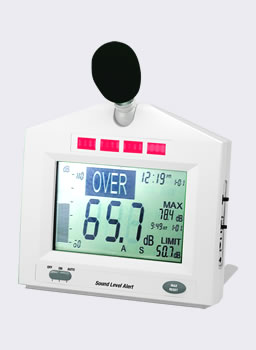
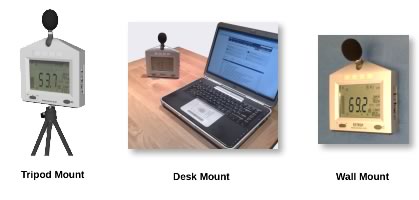
The SoundAlert is a wall, desk or tripod mounted sound level meter that gives a very clear indication when the noise levels are too high. It gives a clear warning of high noise levels in factories and is ideal for noise control in offices, call centres, hospitals, pubs and clubs.
As the meter is either mains or battery powered, it can even be used hand-held.
As the SoundAlert can be mounted on a desk, wall or tripod, it is suitable for many noise measurement applications. From factory noise to quiet places such as offices and hospitals, if you need a digital display of sound level and the option of a clear, bright warning, the SoundAlert should do the job.
Please see the Applications tab for more information.
Some notes on setting up the SoundAlert, showing most settings and an overview of how to use it.
Switch the unit on
| ON | The unit stays on permanently |
| AUTO | The unit can be programmed to switch on and off again at set times of the day. For example, it can be set to come on at 09:00 and go off at 17:00. For units running on battery this extends the battery life to around 30 days. |
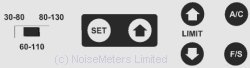
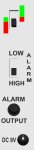
The Display Settings and Power panel are found on the side of the unit.
The red/green switch selects the operation of the bright LEDs:
The rest of the controls:
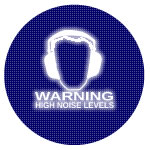
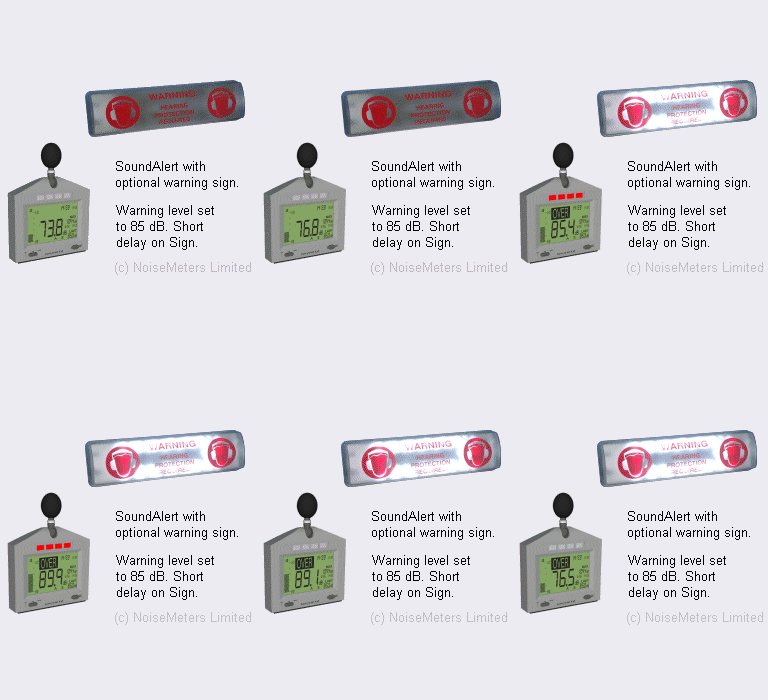
For areas that are not always above the 80 or 85 dB action level. The SoundAlert devices clearly shows employees when it is time to wear hearing protection. The use of the optional Warning Sign helps to attract attention.
The SoundAlert continuously shows the current sound level and the maximum level that has been reached. When the noise level exceeds the trigger level (often set to the first action level of 85 dB), the bright LEDs start to flash.
Employees who are unsure of the current noise level can simply glance at the Sound Alert to find out.
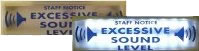
If something more obvious is needed then the optional Warning Sign can be used, as shown on the right.
To give staff an unbiased view of the noise levels they are creating, strategically placed SoundAlert devices and Warning Signs gives an unavoidable message - reduce your noise.
The SoundAlert can be used alone to give a clear message to staff and visitors. The noise level is shown at all times and the bright LEDS show when the level is too high.
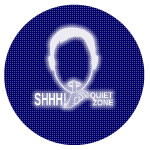
For hospitals and neonatal units, strategically mounted Sound Alerts and Noise Signs reminds both staff and visitors to keep the noise levels down. Sound Alert devices and Noise Signs are usually mounted in the corridors as well as within the ward.
The SoundEar Noise Warning Sign is also very popular in hospitals and on neonatal wards.
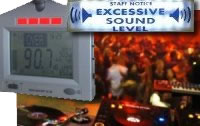
One person's perception of noise is different to another's, and even varies through the day. The SoundAlert with remote Warning Signs lets you (and whoever is controlling the music) know as soon as the noise levels are too high.
Although we have products that can cut the power to the amplifier when the levels are high (see Sentry Music Monitor), it is sometimes better to show a clear warning so that action can be taken by staff. The use of the main display along with a remote gives the ability to warn the DJ (or live band) and the management at the same time.
Order code SoundAlert includes the following items:
The optional Warning Signs connect to the SoundAlert using the cable supplied. The Warning Sign also plugs into the AC power using the adapter that is provided along with a long power extension lead (low voltage). The time that the noise sign lights up can be set to between 5 seconds and 10 minutes after the noise levels fall again.
Note: These warning signs cannot be used alone, they must be connected to a SoundAlert unit.
All signs can be set to give either a constant light or can flash to attract attention when the measured sound levels are high.
| General | |
| Standards | IEC 60651-1979 and ANSI S1.4 Type 2 |
| Display | 11.6 x 7.9 cm custom LCD |
| Bandwidth | 31.5 Hz to 8 kHz |
| Microphone | 1/2" Electret Microphone |
| Acoustic Function | |
| Ranges | 30 - 80 dB, 60 - 110 dB, 80 - 130 dB |
| Freq. Weighting | "A" and "C" selectable |
| Time Response | Fast (125ms) or Slow (1s) selectable |
| Resolution | 0.1 dB |
| Max Hold | Maximum Sound Level with Time Stamp |
| Alarms | |
| Alarm Output | 3.5 mm Phono Plug, 3.4 mA @ 5VDC typical |
| Limit Range | 30 to 130 dB |
| Display Indicators | |
| Under-range | "---" indicates under-range |
| Overload | "OL" indicates overload |
| Power | |
| Power Supply | AC adapter (9V @ 500mA) or 8 x AA Cells |
| Battery Life | 240 hours continuous, or 30 days at 8 hours / day |
| Operating Temp. | 0°C to 50°C |
| Physical | |
| Operating Hum. | Less than 80% RH |
| Dimensions | 220 x 180 x 32 mm, 285 g |
 Basket
)