NoiseMeters Limited for sound level meters and noise monitoring equipment hire
Your region
  Home Contact Products Hire Calibration Survey News Resources Help Search   Cart cart
  Home > Products > Class 2 Data Logging > Using it
Tel.  0845 680 0312
info@noisemeters.co.uk

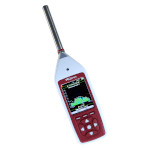
Model 92 Advanced Integrating Sound Level Meter

  Sound Level Meter Using It Options Software Similar Meters  
 

Using the Integrating Sound Level Meter

Some regulations state that you should check the calibration of the sound level meter before making a measurement. If you have order code P92-C or P92-K then you can do this using the Calibrator that is included.

calibrating the sound level meter

Checking the Calibration

  1. Fit the calibrator onto the microphone as shown opposite.
  2. Switch the Calibrator on.
  3. Select Calibrate in the menu and press OK.

The meter will automatically check its calibration and make any adjustments. If there are any major problems with the meter or microphone capsule it will report an error.

The results of the calibration are stored and can be viewed on the display or downloaded using the software provided.


Position the microphone

Making a Basic Noise Measurement

  1. Position the microphone.
  2. Select a suitable measurement range using the Range key.
  3. Press the Run key to start the measurement.
  4. To finish the measurement press the Stop key.

The results of the measurement can be read from the display. The measurement is automatically stored so that it can be viewed again later or it can be downloaded to the software.


Sound Level Meter on a tripod

Making Timed Measurements

The Sound Level Meter can be set to make timed and repeating measurements automatically. To make long measurements easier the meter can be mounted on a standard camera tripod (option TR1).

  1. Using the menu options, set the measurement time (e.g. 15 minutes).
  2. Select the Repeat option to make multiple noise measurements.
  3. Press the Run key to start the meter running.

The Sound Level Meter will now make repeating measurements, automatically storing each one. The resulting measurements can be viewed later on screen or downloaded to a computer using the software supplied.


connect sound level meter to computer

Download the Measurements

The measurements can be viewed on the meter's display. However, it is often more convenient to connect the meter to a computer and download the measurements using the software and cable that are included.

The Analyzer software can store the results for further analysis and present various noise reports. For more information please visit the software web page.


Prices and Ordering  
Order Code Description   Price Purchase
P92 Class 2 Logging Sound Level Meter lead time 2 weeks or less £1147.00 Purchase the P92
P92-C P92 Sound Level Meter, Calibrator and Software lead time 2 weeks or less £1392.00 Purchase the P92-C
P92-K Noise Measurement Kit with P92, Calibrator, Software, Windshield and Case lead time 2 weeks or less £1487.00 Purchase the P92-K
Options  
P106 Class 2 Sound Level Calibrator. 1kHz, 94dB. For 1/2 inch microphones £245.00 Purchase the P106
WS90 90mm Windshield for 1/2 inch Microphone Capsules £16.00 Purchase the WS90
K2 Hard Carrying Case £79.00 Purchase the K2
TR1 Lightweight Tripod £53.00 Purchase the TR1

VAT and DELIVERY not included - click for more information

  noise at work Noise at Work environmental noise Environmental Noise general purpose noise meters General Purpose noise warning signs and controllers Signs and Controllers  

Home - Contact - News - Rental - Survey - Calibration - Resources - Search - Help
General Purpose - Signs - Noise at Work - Environmental - Accessories - Mobile Site
Telephone 0845 680 0312  
info@noisemeters.co.uk