Your region
Home > Products > Noise at Work > dBadge
 
Tel.  0845 680 0312
info@noisemeters.co.uk

dBadge Noise Dosemeter

Using It

dBadge Versions

All versions of the dBadge Noise Dosemeter - Standard and Plus along with the Intrinsically Safe version - operate in the same way. The only difference is in the measurements that are downloaded.


1. Charge the dBadge

charge the dbadgeThe dBadge has rechargeable batteries that will operate for up to 28 hours between charges. From flat, the dBadge takes just 90 minutes to charge.

To charge the dBadge simply slot it onto the the charging block.

dbadge noise dosemeter
dBadge Noise Dosemeter


calibrating the dbadge2. Calibrate

To calibrate the dBadge, remove the windshield and fit the dosemeter's microphone into the Calibrator cavity.

When the Calibrator is switched on the dBadge will automatically switch into Calibration Mode.

calibration of dosimeter


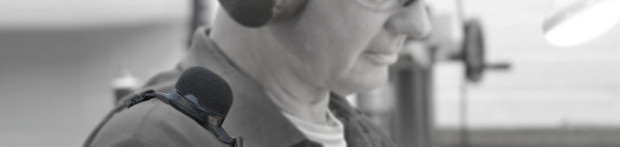
dbadge mounts3. Mount the dBadge on the Worker

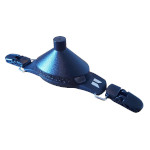
The dBadge is supplied with two mounts as standard:

Crocodile Clip - The easiest and quickest to use. Particularly suited to thinner material.

Pin Mount - A more secure mount and suited to the thicker material used in heavy duty overalls.

The dBadge should be mounted on the worker before the measurement process is started to avoid false noise events.


start noise measurement4. Start the Measurement

The dBadge has just two buttons, one on either side.

To start the measurement, press and hold both buttons for three seconds.

Locking the Keys

To stop anybody from accidentally stopping the measurement or even purposefully tampering, the keys can be locked. This also removes the sound level from the display as this can tempt people to shout or whistle at the microphone to see the effect.


5. Stop the Measurement

The dBadge should be left to measure for the full working shift so that you get the full noise exposure. You can measure for a shorted period and then calculate the exposure, but far better to measure it instead.

Stopping the dBadge is similar to starting it. Simply press the two buttons and hold for three seconds. Of course you have to unlock the keypad first if you chose to lock it.


6. Viewing the Results

The main noise parameters (LAeq, LEPd, LCPeak, etc.) can now be viewed on the dBadge's display. It simply cycles through the values on the display. All you need to record is the LAeq, LEP,d, Duration and Peak. If you want more than this then it is better to download to the Insight software.


7. Downloading

infra-red adapterThe dBadge connects to a computer using the Infra-Red adapter that is included. This cable connects into the computer's USB port. When the dBadge is placed near the cable it is detected and the measurements are automatically downloaded to the Insight software.

The downloaded measurements can be allocated to a person, place or process for reporting purposes.

For more information about the software, please visit the Insight Software page.


Prices and Ordering

Standard kits are the most popular, with full data logging. Kits contain dBadges, Calibrator, Case and Insight Software.
Kits with 1, 2, 3 and 5 dBadges have one 3-way charger. Kits with 10 dBadges have two 3-way chargers.

Order Code Description   Price Purchase
CEL350K1 Noise Kit with 1 dBadge Dosimeter, Calibrator and Software in stock £1520.00 Purchase the CEL350K1
CEL350K2 Noise Kit with 2 dBadge Dosimeters, Calibrator and Software in stock £2024.00 Purchase the CEL350K2
CEL350K3 Noise Kit with 3 dBadge Dosimeters, Calibrator and Software in stock £2519.00 Purchase the CEL350K3
CEL350K5 Noise Kit with 5 dBadge Dosimeters, Calibrator and Software in stock £3480.00 Purchase the CEL350K5
CEL350K10 Noise Kit with 10 dBadge Dosimeters, Calibrator and Software in stock £5867.00 Purchase the CEL350K10
 
ISC020 Insight Software for CEL620, CEL630 and dBadge in stock £295.00 Purchase the ISC020


Email Address
info request

Home - Contact - News - Rental - Survey - Calibration - Resources - Search - Help
General Purpose - Signs - Noise at Work - Environmental - Accessories - Mobile Site
card payment Telephone 0845 680 0312  
info@noisemeters.co.uk