0845 680 0312
 Email
0845 680 0312
Email
Email
0845 680 0312
Email
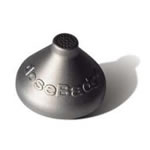
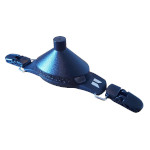
The doseBadge Noise Dosimeter is the original cable-free design for monitoring a worker's exposure to noise in the workplace. All models of the doseBadge satisfy the UK noise at work regulations and HSE guidelines, along with extra features such as time history plots, software and reporting. The dosimeter mounts on a worker's shoulder to measure noise exposure throughout the day.
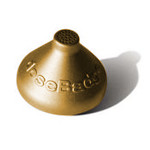
All three versions on this page offer the essential measurements for noise in the workplace. The Industrial version provides the basic measurements in a very strong metal case. The Professional version adds more detailed storage, octave band filters and bluetooth. The Intrinsically Safe version is for use in potentially explosive atmospheres.

The doseBadge Industrial was the first noise dosimeter available without a microphone on a cable. All versions of the doseBadge have the battery, microphone and acoustic processor are all enclosed inside the case, making it more robust, safer (no cables catching in machinery) and easier to wear.
One of the main difficulties with noise dosimetry is the worker's temptation to tamper. The doseBadge has no controls, so no buttons will be pressed. It also has no display, so no great visual reward for shouting at the microphone.
 Basket